 AABrowser
Popular open-source apps attract impostors. The AABrowser developer warns that fake sites pretending to be the app exist and may distribute malware. Knowing where the genuine file comes from protects your phone and your car's connection.
The official source
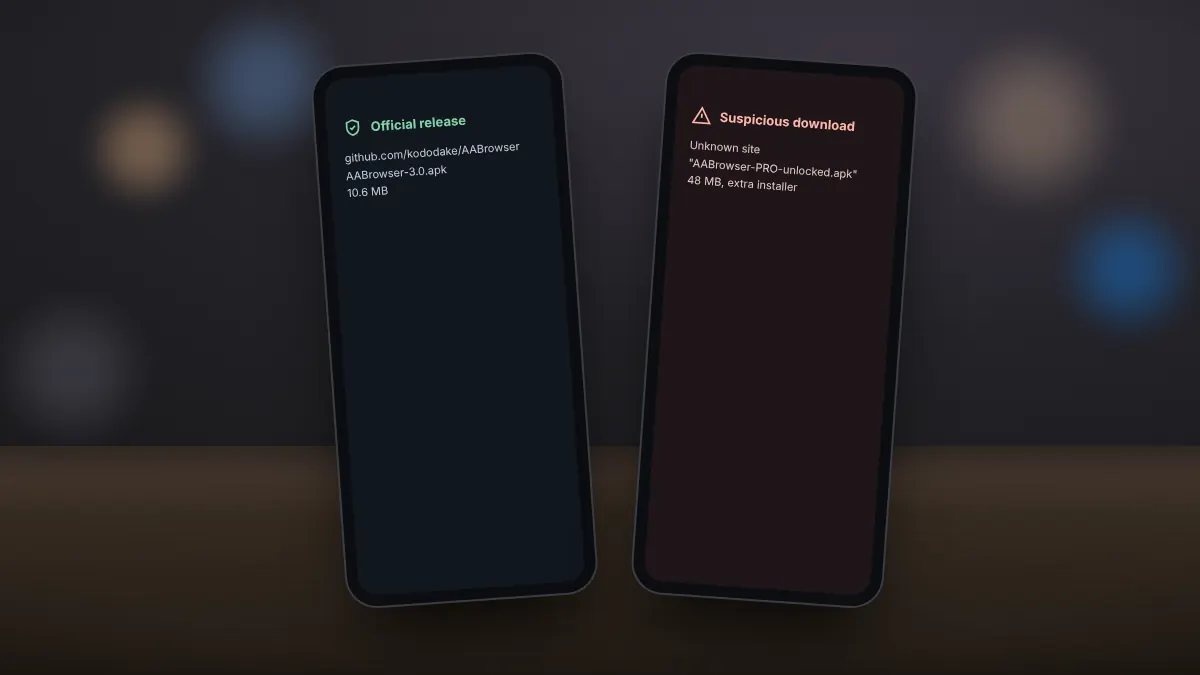
The genuine APK is published on the developer's GitHub repository, github.com/kododake/AABrowser, under Releases. The download button on our homepage serves an unmodified copy of that official file (SHA-256: 68b3a5751910607ac0210066a258ae7ae0bdb43d896ca6d900926da91b7d1e82); we do not repackage or alter it.
Signs of a fake copy
- A version number that does not exist on the GitHub releases page.
- An installer much larger or smaller than the official file of about 10 MB.
- Download pages full of pop-ups, countdowns or extra installers.
- Requests for unusual permissions such as SMS or contacts access.
Checking the file
- Compare the file name and size with the GitHub release.
- Scan it with Google Play Protect or a trusted antivirus app.
- If you use Obtainium, let it fetch updates directly from GitHub.
If you installed a suspicious copy
- Uninstall it immediately.
- Run a Play Protect scan from the Google Play menu.
- Install the genuine release from the official source.
- Change passwords for accounts you used in the suspicious app.
aabrowser.org is an independent guide, not the developer's website. We point every download to the official GitHub release.